 HEADPHPNE QUALITY – FREE SOUND CHECK BY AHG


Extend the Life of Your Headphones: Ultimate Guide (2025 Edition)
Want to extend the life of your headphones without sacrificing comfort or sound? This guide shows you how—step by step. You’ll learn the exact cleaning methods, storage habits, and replacement part upgrades that keep headphones performing for years. We compare repair vs. replace costs, share practical “use cases” across Bose, Sony, Audio-Technica, Beats, and Sennheiser, and give you a simple maintenance schedule you can actually follow. Along the way, we link to the right AHG category pages (ear pads, headbands, combo kits) so you can refresh your gear quickly and safely. By the end, you’ll have a complete plan to extend the life of your headphones, save money, reduce e-waste, and enjoy the sound signature you already love.
Introduction: Why most headphones “die” early (and how to stop it)
If you want to extend the life of your headphones, the first step is understanding what actually shortens their lifespan. Daily sweat and skin oils break down ear-pad materials; tight cable bends cause micro-fractures; tossing headphones unprotected into bags leads to mechanical stress; and for wireless sets, lithium-ion cells slowly lose capacity. None of these are fatal—if you catch them early and take simple actions.
This article gives you a practical, brand-agnostic plan to extend the life of your headphones. You’ll clean them the right way, store them correctly, replace the right parts at the right time, and test performance so you know your upgrades worked. Where a refresh makes sense, we’ll point you to AHG’s category pages (e.g., Ear Pad Replacements, Headbands, and Bose Combo Packs) for fast, model-matched parts. accessoryhouseglobal.com+2accessoryhouseglobal.com+2
1) Daily & weekly care: cleaning that actually preserves materials
Goal: clean enough to prevent material breakdown and skin issues—without damaging drivers or finishes—so you extend the life of your headphones safely.
The safe-cleaning basics
-
Wipe after use (daily): Use a dry microfiber cloth on ear pads/headband to remove sweat and oils.
-
Disinfect (weekly): Lightly dampen a cloth with 70–75% alcohol and wipe the contact surfaces; avoid soaking. Public-health guidance supports alcohol’s efficacy against many microbes when used properly. CDC+1
-
Brush debris (weekly): Use a soft, dry brush across grills/meshes. Never push liquid into driver vents.
-
Silicone tips (IEMs): Remove tips and wash in mild soapy water; dry fully before re-installing. Consumer guides from reputable tech outlets back this approach. WIREDSELF
Why it matters: Research and reporting show headsets can accumulate bacteria quickly with wear and shared use; routine cleaning reduces that risk and helps materials last longer. Science FocusPubMed
Pro move: Keep a small “care kit” (microfiber cloth, alcohol wipes, soft brush) in your laptop bag so quick wipes become habit. Small habits extend the life of your headphones more than any one-time deep clean.
2) Smarter storage: protect the shape, seal & electronics
Storage is the easiest way to extend the life of your headphones—and the most ignored.
-
Always use a case when traveling: A semi-rigid or hard case prevents ear-pad crushing and hinge stress.
-
Avoid heat & humidity: Don’t leave headphones in cars or bathrooms; foams and adhesives degrade faster in extremes.
-
Cable management: Don’t wind cables tightly around devices; use a loose figure-eight and a soft tie to prevent internal conductor fatigue.
-
Desk stands: If you store on a stand, choose a wide contact area so the headband pad doesn’t develop a permanent dent.
When pads do flatten or covers peel, a quick swap restores the seal (and bass response). Browse AHG’s Ear Pad Replacements or model-specific pages like Bose Ear Pads to match your headset. accessoryhouseglobal.com+1
3) Replace what wears first: ear pads, headbands, cables & batteries
If you truly want to extend the life of your headphones, replace the parts that fail first. It’s cost-effective and keeps your sound signature intact.
Ear pads
-
When to replace: cracking/peeling, flattened foam, increasing sound leakage, itchiness/odor.
-
Result: restored comfort, isolation, and fuller bass from a better seal.
-
Where to start: AHG’s universal and brand-specific pads, including premium materials (protein leather, sheepskin). See Ear Pad Replacements and examples like Fostex/ZMF Sheepskin ORION pads or Sennheiser HD-series pads. accessoryhouseglobal.com+2accessoryhouseglobal.com+2
Headbands
-
Symptoms: pressure hotspots, flaking cover, exposed foam.
-
Fix: replace the headband pad/cover to restore comfort and clamp stability.
-
Where to start: AHG’s Headbands category or model-specific pages like the Bose QC35 headband replacement. accessoryhouseglobal.com+1
Cables (for wired models)
-
Symptoms: intermittent audio, channel dropouts near the plug, noisy crackle.
-
Fix: swap detachable cables; for fixed cables, a tech (or skilled DIYer) can re-terminate or replace.
-
Where to start: AHG’s brand categories often highlight cable information (e.g., Sennheiser’s detachable designs). accessoryhouseglobal.com
Batteries (for wireless ANC)
-
Symptoms: sudden power-offs, shorter playtime, slow charging.
-
Fix: many popular ANC models support battery replacement; DIY guides exist for common models. See iFixit’s tutorials for reference (e.g., Sony WH-1000XM4 ear-pad/battery access). iFixit
4) Repair vs. replace: cost comparison (and e-waste reality)
Refreshing parts is usually a fraction of buying new—and it’s better for the planet.
| Issue | Typical DIY/parts cost | New headphone cost | What this means |
|---|---|---|---|
| Ear-pad replacement | £15–£35 / $20–$40 | £120–£400 / $150–$500 | Pads restore comfort/isolation immediately. |
| Headband pad/cover | £20–£35 / $25–$60 | £160–£600 / $200–$700 | Fixes hot-spots, peeling, perceived “clamp.” |
| Detachable cable | £12–£35 / $15–$50 | £160–£500 / $200–$600 | Easiest fix for dropouts/crackle. |
| Battery (ANC) | £25–£55 / $30–$70 | £200–£700+ / $250–$800 | Restores runtime; keeps your sound. |
Beyond cost, there’s a sustainability angle: global e-waste reached 62 billion kg in 2022, with just 22.3% properly collected and recycled—projected to hit 82 million tonnes by 2030. Extending usable life directly reduces your contribution. ITUE-Waste Monitor
Action step: If most of your issues are pads/cable/band, choose parts from Ear Pad Replacements, Headbands, or a time-saving Bose combo kit. accessoryhouseglobal.com+2accessoryhouseglobal.com+2
5) Step-by-step: clean the right way (and avoid common mistakes)
Proper cleaning is the fastest way to extend the life of your headphones without tools.
-
Surface wipe (daily) – Microfiber cloth on pads and band.
-
Disinfect (weekly) – Light wipe with 70–75% alcohol on contact surfaces. Keep liquids away from drivers. Public-health sources recognize alcohol’s virucidal activity when used properly. CDC
-
Brush vents & mesh – Dry, soft brush only.
-
Deep refresh (monthly) – Remove pads (if user-removable), clear dust on baffles, re-seat pads carefully. Use model-specific guides for disassembly steps when needed. iFixit+1
Avoid: bleach, hydrogen peroxide on leatherette, compressed air directly into drivers, and soaking. Consumer-friendly cleaning walkthroughs reinforce these cautions. WIRED
6) Practical use cases: five real-world refresh paths
These realistic scenarios show how small upgrades extend the life of your headphones while preserving the sound you already like.
Use case A — Bose QuietComfort (over-ear, wireless)
After five years, pads crack, the cable’s noisy on wired flights, and the band is tired. New QC’s cost £280–£320. Refresh with QC35 ear pads (£15–£25), a QC35 headband solution (~£20–£30), plus an airline-friendly cable. Comfort, isolation, and “QC” character return for a small outlay. accessoryhouseglobal.com+1
Use case B — Sony WH-1000XM4 (ANC wireless)
Battery fades and pads flatten after 2–3 years. New headphones ~£280–£350. Replace pads and the battery (DIY with a quality guide) to restore runtime and seal. See iFixit’s WH-1000XM4 procedures for safe access. iFixit
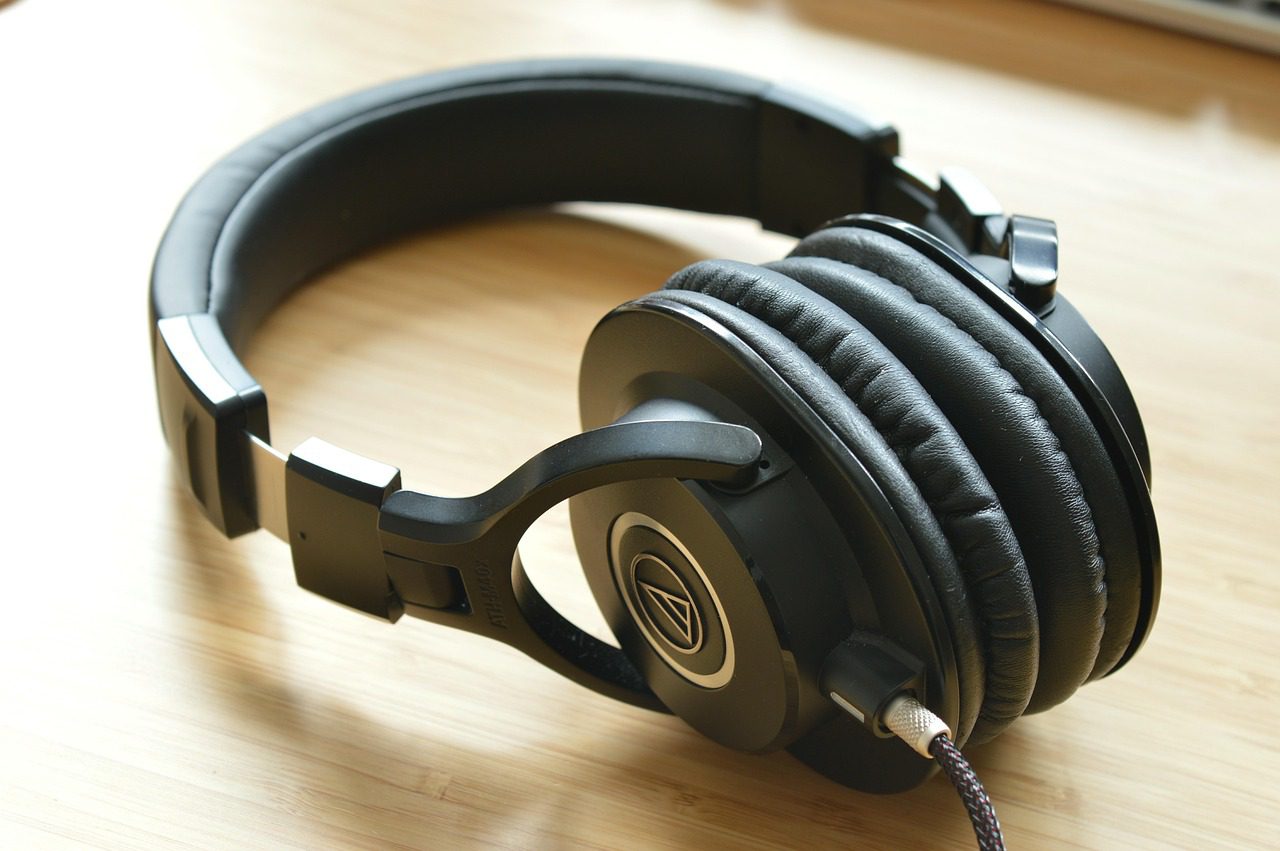
Use case C — Audio-Technica M50x (studio wired)
Classic daily driver. When the detachable cable crackles and pads compress, don’t bin them—swap both. Total refresh <£40; the studio-neutral signature is back.
Use case D — Beats Studio/ Solo (commute & gym)
Peeling pads and sweat stink are common. Upgrading to sheepskin or premium protein-leather pads reduces irritation and improves seal. See AHG’s Beats-specific listings (e.g., Beats Solo 2 Wireless replacements or Sheepskin options). accessoryhouseglobal.com+1
Use case E — Sennheiser HD-series (home hi-fi)
The open-back legends keep playing forever—if you maintain them. Fresh pads from the Sennheiser replacement page restore geometry and comfort, improving bass “fill” on classics like HD600/650/660S. accessoryhouseglobal.com
7) Test your results: how to hear (and measure) the difference
After any refresh, validate the improvement so you know you did actually extend the life of your headphones in a meaningful way.
-
Seal & isolation: Play pink noise at a fixed level; note how much outside sound you perceive before vs. after pad swap.
-
Frequency checks: Use the same 4–5 reference tracks to judge bass control, vocal clarity, and treble fatigue across time.
-
Comfort audit: 60–90 minutes of continuous wear—if you’re not thinking about your ears, the refresh worked.
-
Channel balance: A new cable should remove intermittent dropouts and crackle.
-
Noise floor (ANC): With fresh pads, ANC often performs better because the physical seal assists digital cancellation.
For model-specific steps (e.g., un-clipping pad rings), follow repair community guides (search your model + “ear-pad replacement” on iFixit). iFixit
8) Sustainability: the simplest way to cut e-waste is to keep using what works
If millions of listeners extend the life of their headphones instead of buying new, we defer a material portion of e-waste. In 2022 alone, the world generated 62 billion kg of e-waste; formal collection/recycling captured only 22.3%. Keeping your gear going—and responsibly recycling truly dead parts—moves the needle. ITU
For perspective pieces on small-electronics recycling and why it matters, see mainstream explainers on the e-waste crisis. Vox
9) Your 12-month maintenance schedule (easy to follow)
Use this simple cadence to extend the life of your headphones with minimal effort.
Every day you use them
-
Quick wipe of pads & band (10 seconds).
-
Loose coil your cable; never yank the plug.
Every week
-
Alcohol wipe on contact surfaces; brush grills/mesh. (See CDC guidance for alcohol disinfection principles.) CDC
Every 3–6 months
-
Inspect pads for flattening/peel; replace if fit or seal is compromised.
-
Check cable for strain near plug or cups; replace detachable cables at first signs of crackle.
-
Review headband cushion; consider a cover or pad if dents/hot spots persist.
Every 18–30 months (wireless)
-
Evaluate battery runtime vs. new; if down ~30–50%, plan a battery swap. Use reputable guides for your model. iFixit
Anytime
-
If you notice discomfort, leakage, or dull bass—pads are likely due. Head to Ear Pad Replacements or model pages like Bose Ear Pads for a fast fix. accessoryhouseglobal.com+1
10) FAQs (for readers & FAQ Schema)
Q1: How often should I replace ear pads if I want to extend the life of my headphones?
For daily use, many pads last 12–24 months. Replace sooner if you see cracks, flattening, odor, or increased leakage.
Q2: Do new ear pads change the sound?
Yes—usually for the better. Restoring the seal often improves bass and lowers perceived harshness from leaks. Material choice (protein leather vs. velour vs. sheepskin) also shapes isolation and comfort. Consider AHG’s premium options for your model. accessoryhouseglobal.com+1
Q3: Is it safe to clean pads with alcohol?
A light wipe with 70–75% alcohol on contact surfaces is widely recommended for disinfection; avoid soaking and keep liquids away from drivers. CDC
Q4: When is it better to buy new headphones?
If driver damage, cracked yokes/hinges, or Bluetooth boards fail—and parts aren’t available—new can be sensible. But for pads, cables, headband pads, and batteries, refreshing is usually the smarter first step. See Bose Combo Packs for time-saving bundles. accessoryhouseglobal.com
If your goal is to extend the life of your headphones, you now have a complete, proven plan: clean consistently, store smartly, replace the parts that wear, and test your results. Most “end-of-life” symptoms are pad, cable, headband, or battery issues—not drivers. Fix those first, save money, and keep the sound you chose in the first place. When you’re ready to refresh, start with AHG’s curated categories—Ear Pad Replacements, Headbands, and Bose Combo Packs—and enjoy many more years with the gear you love. accessoryhouseglobal.com+2accessoryhousegl